

Write in your language. They read in theirs.
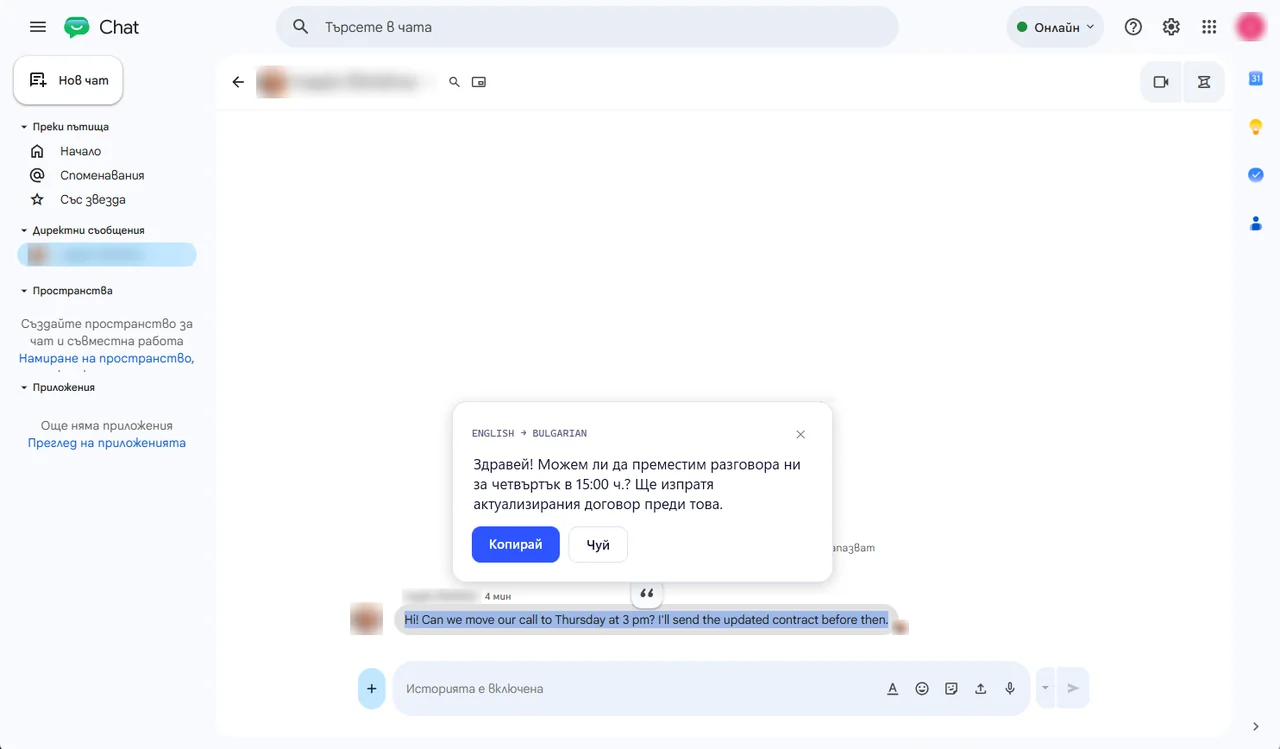
Reads and translates 40 languages — from English, German and Spanish to Greek, Turkish, Arabic, Hindi, Japanese and Chinese. It recognises the language of the text by itself, and the program itself speaks your language too.
Lingbolt translates anywhere in Windows — in chat, e-mail, the browser, Viber and WhatsApp. Type in your language, press Ctrl twice and the text in the field becomes English (or the language you picked), ready to send. Ctrl+Z brings yours back.
Got a message in another language? Select it and a ⚡ appears next to it. One click and the translation shows on a card by the mouse, with a Copy button. With Pro you can also hear it in a natural voice. Text in a picture, a PDF or a game? Press Ctrl+Shift+R, draw a box around it — and read it in your language. Lingbolt remembers which language each chat speaks and updates itself.
Free: 300 words translated a day. Lingbolt Pro: up to 15,000 words a day — practically no waiting, the natural voice and 10 screen reads a day — €6.99 a month or €59.99 a year, VAT included. You buy it from the program’s menu. For Windows 10 and 11, 64-bit.