

Translate text from a picture, PDF or game
Not every text can be selected and copied. With Lingbolt you draw a box around what you see on the screen and read it in your language, without retyping anything.
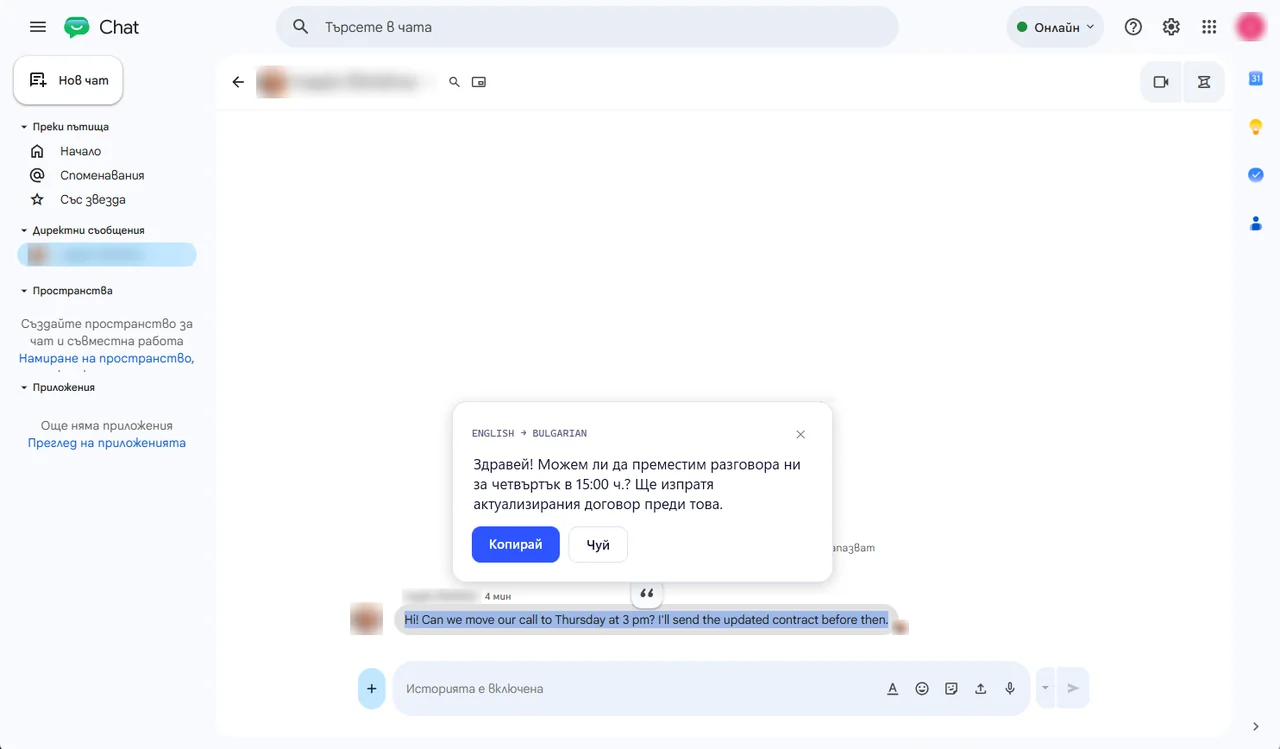
How it works
1Download Lingbolt. It sits by the clock and waits until you need it.
2Press Ctrl+Shift+R and draw a box with the mouse around the part of the screen: a picture, a PDF page, a line in a game or a menu.
3Read it in your language on a card by the mouse, with a Copy button. With Pro you can also hear it in a natural voice.
Questions people ask
Is it free?
Yes, 3 screen reads a day for free. Lingbolt Pro gives 10 a day, for €6.99 a month. The first 7 days are Pro as a gift, no card needed.
What is sent?
Only the part you drew a box around, as a picture. It goes encrypted through our server in the EU to be translated and is not kept.
In which languages?
Lingbolt reads text in 40 languages, including Chinese, Japanese, Korean, Arabic and Hindi, and translates it into yours.